For years I’ve paid for Spotify Premium and used their service for hours every day. I’ve mentioned in my Annual Accomplishments posts how part of my weekly routine was to listen to the 1.5 hours of personalized music Spotify put out for me every Monday in Discover Weekly, and the 1.5 hour Release Radar they released every Friday. No longer 🙂 – and I’m better for it.
I left Spotify Premium this year and am now a happy customer of TIDAL. So let’s get into why I felt the need to change my music service and how it’s going.
I’ll cut to the chase. The straw that broke my camel’s back was seeing how Spotify seems to be heavily pushing AI music and trying to pass it off as music from a human person. For a few weeks I had noticed a suspicious number of “new artists” who didn’t release anything until 2025 and have no digital footprint flooding my Discover Weekly and Release Radar.
However, I initially overlooked it because they had the “Verified Artist” blue checkmark on Spotify. Well, with the help of my Partner’s research and cross-referencing TikTok’s “AI Artist” tag, I was able to discover that all of my personalized Spotify playlists had been overrun with AI music.
And worse, Spotify was trying to hide this fact with their misleading “Verified Artist” tag. These events paired with Spotify’s CEO investing heavily in AI military drones made it clear that this is not a company I want to support.
So after years of being a paying customer, I left Spotify and started looking for a better alternative. As I’ve mentioned on here before, music is an integral part of my life and my mental health, so I wanted to make sure I had access to my tunes while also making sure human artists are being paid fairly and I’m not listening to AI slop that only makes Spotify richer.
Research
I took to the internet to see what Spotify alternatives are out there. In addition to not pushing AI music, I wanted a music service that provides:
- Offline music download access
- Access to my favorite artists
- The ability to transfer my Spotify playlists
I searched around the net for services that match this criteria and one company kept coming up over and over as the main recommendation: TIDAL.
What Is TIDAL?
TIDAL claims to be by artists and for artists and from everything I’ve seen, that appears to be true. They don’t promote AI slop because it goes against that core mission.
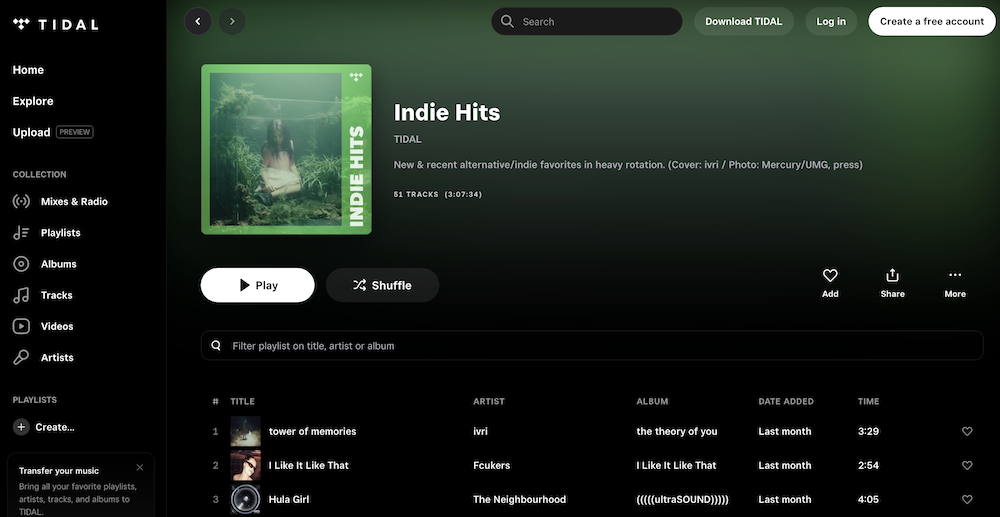
Obviously I personally also prefer supporting a music streaming service that is artist-first and prioritizes getting artists paid what they deserve for their music. TIDAL doesn’t have a free version anymore, but their paid options are cheaper than Spotify’s and offer the same ad-free experience.
- Individual Plan for $10.99 USD/month
- Family Plan (for you and up to 5 other members) for $16.99 USD/month
- Student Plan (discounted for current students) for $5.49 USD/month
It turns out that TIDAL checks all of the boxes I’m looking for. I can download music for offline access, it has all of my favorite artists and there’s an easy way to transfer my Spotify playlists to TIDAL.
In addition to all that, TIDAL also has very high resolution music, which as a non-audiophile, I didn’t think that I would notice, but I do 🙂 . But we’ll get into that below. Let’s see how my first month with TIDAL went.
30 Day Free Trial
TIDAL offers a 30 day free trial and then it auto-charges you for the tier you chose at sign up. I went with the Family Plan for $16.99/month because when I told the members of my Spotify Family Plan that I was leaving, they said they trusted me to choose a better solution than Spotify – aww 🙂 .
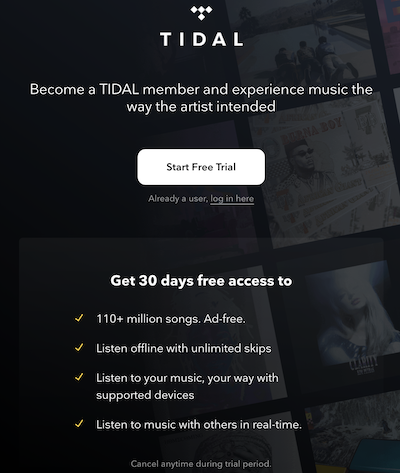
They said they would follow me wherever I wanted to go, so we planned to all migrate to TIDAL together if I thought they were the best solution after the free trial. And as you can see from the title, I did 😉 .
Transferring Music To TIDAL
During my trial I obviously wanted to transfer my music and playlists from Spotify for a seamless migration experience. I was curious what this process would be like and I was shocked at how easy it was.
When I logged into TIDAL for the first time, there was a prompt to transfer my music at that moment, which I clicked. However, if I hadn’t taken that opportunity to do so they also send a series of welcome emails and one of the first is about how to transfer your music in case you didn’t have time previously.
Also you can transfer music from every music service I can think of, not just Spotify. For example, they also have transfer options for Apple Music, YouTube Music, YouTube, Deezer, Amazon Music, Soundcloud, Yandex Music, Qobuz, Beatport, Beatsource, iTunes, Napster, Pandora, Anghami, KKBOX, last.fm, Soundmachine, Boomplay, an uploaded file or even another TIDAL account.
TIDAL details the steps for transferring music here, but in case a click is too much 😉 , here are the steps from their website:
- Go to TuneMyMusic
- Visit tunemymusic.com.
- Select Your Current Music Service
- Click the icon of the streaming service where your music is saved
- Log in and allow TuneMyMusic to access your library.
- Load Your Library
- Click “Load from [Service] account” to retrieve your saved music.
- You’ll see options such as Favorite Songs, Favorite Albums, Favorite Artists, and playlists.
- Choose What You Want to Transfer
- Select Playlists to move entire playlists.
- Pick Individual Tracks from a playlist.
- Transfer your Favorite Songs, Albums, and Artists by checking the boxes.
- Use the search bar to find specific playlists or tracks.
- Select TIDAL as Your Destination
- Choose TIDAL as the platform where you want to move your music.
- Log in to your TIDAL account and allow TuneMyMusic to access your library.
- Start Your Transfer
- Review your selection and click “Start transfer.”
- TuneMyMusic will begin moving your collection and notify you once the process is complete.
When TIDAL had a free tier they apparently only allowed people to transfer 500 songs for free, but since the free tier has been eliminated, all their current tiers can import unlimited songs. That’s great because I had about 4,000 songs to import 🙂 . And I was up and running with all my same music in TIDAL within minutes, which was a much faster and easier process than I anticipated.
Spotify “Liked Songs”
My Family Plan members were able to transfer all their music no problem, but I encountered one issue that seemed to be on Spotify’s end. Spotify has a category called “Liked Songs” that I thought was a playlist, but when I tried to import it with all my other playlists it didn’t act the same.
Instead of becoming a playlist in TIDAL, it instead showed up in Collection>Tracks, which might be their Liked Songs equivalent, but I wanted it to be an actual playlist. So in Spotify I just highlighted the first song and then scrolled to the bottom of the list to highlight the last song so all of my Liked Songs were highlighted. I then copied all of those songs into an actual playlist.
Then I did the TIDAL transfer of that playlist to make sure it was separate. It appeared instantly and was even in the same order as my Liked Songs, which was perfect. Maybe that’s just a me thing, but I wanted to point it out in case you have the same playlist preference.
Offline Listening
I love to listen to music while I’m driving, so downloading offline music is key for me so I’m not constantly using my Google Fi data to stream music while on the road. Luckily, TIDAL makes this easy.
Similar to Spotify, I can just click “Download” at the top of a playlist on my mobile TIDAL app, and it downloads all of those songs. They downloaded just as quickly as transferring my music originally, which was great.
Further, I saw in my TIDAL app settings that under Downloads>Audio, I was able to set the Audio Quality of my downloads. I set it to “Low” so that all my phone storage wouldn’t be taken up with the high quality audio of TIDAL songs, which I’ll discuss more below.
There is also a section under “Collections” called Downloads that you can go to and see all of your downloaded songs in case you don’t enjoy just going straight to a specific playlist like I do.
A 9 Year Old Honda CR-V Caveat
I noticed two differences in using Spotify’s downloaded songs in my 2016 Honda CR-V and TIDAL’s downloaded songs. One is that my music doesn’t always automatically start when I get in my car, which might be a good thing in case I have a guest and was listening to something embarrassing 😉 .
The second is related to the Bluetooth music display within my car. Spotify curiously would show the Title and Artist of a song, but not the Album name even though that info is shown in the app even offline.
When I use TIDAL, it usually only shows the Title of the song and I was curious why that is. It’s not a big deal at all for me personaly, but I was curious why this difference might exist and the answer is kind of funny 🙂 .
It seems like the reason is because my car is old 🙂 . TIDAL no longer fully supports my specific year and brand of car so I can see the Title, but can’t always see the Artist. Spotify has a similar thread talking about why the Album doesn’t show up for the same reason. Fair enough, but I found that hilarious.
Curiously at times, the first song I play on TIDAL in my car shows the Title, Artist AND Album, but it doesn’t stay that way. So this isn’t a problem for me, but I wanted to share in case it is for other people. However, it does seem like TIDAL works just fine on newer car features like Android Auto and CarPlay, so newer car people are all good on that front 🙂 .
Curated Playlists
As I’ve said for years in my Annual Accomplishments posts, listening to Spotify’s Discover Weekly every Monday and their Release Radar every Friday, was a part of my routine and helped me discover new music – until I realized that new music was AI slop 🙂 .
So learning about new music from curated playlists that are based on my music preferences is important to me and luckily, TIDAL has me more than covered 🙂 . TIDAL has a variety of curated playlists based on what you’re looking for:
Instead of Discover Weekly on Spotify, I now have My Daily Discovery on TIDAL, which is what it sounds like. I receive 10 songs every day that TIDAL thinks I will like based on my listening habits.
Please note that it did take a few days for TIDAL to learn about my music preferences and for Daily Discovery and these other curated playlists to show up. I actually prefer that instead of it just spitting out something generic before they understand what kind of music I like.
Instead of Release Radar on Spotify, TIDAL has My New Arrivals. It also releases every Friday and provides 30 new songs based on artists TIDAL knows I enjoy.
In addition to those playlists, TIDAL also creates various My Mix playlists based on groups of artists I like that are similar. It’s a combination of my recent favorites and new music that TIDAL thinks I’ll enjoy that fits the same vibe. I currently have 8 My Mix playlists on my TIDAL Home screen and TIDAL claims that these mixes aren’t stagnant and change over time as my preferences do.
My Activity
In recent years Spotify Wrapped has become a bit of a cultural phenomenon. I’ve seen every company under the sun seem to try and copy their approach to summarizing people’s annual habits, from book tracking apps to random things like Amazon’s Affiliate Program.
So in the back of my mind, I was curious if TIDAL was a part of this trend and if so how. But it turns out, they do their own thing 🙂 .
Instead of waiting until the end of the year to summarize someone’s music listening with strangely specific phrases like Spotify, TIDAL lets me be a data nerd 365 days a year!
First, TIDAL has My Activity which shows daily statistics of my music activity as well as a monthly summary and a playlist of my top artists for the month. Through My Activity, I can see my top artists and how many times I streamed each of them. I love it!
Further, TIDAL has My History, which creates curated playlists based on my most listened to songs by month, year and all-time. For example, on my homepage I currently have a “2025” playlist, a “November 2025” playlist and a “My Most Listened” playlist. I’ve never been more aware of my listening habits and the data nerd in me loves that so much 🙂 .
Audio Quality
As I’ve said in several posts like the below, I’m not an audiophile. However, I might be becoming one 🙂 .
TIDAL offers a variety of audio quality options (unlike Spotify 😉 ) from Low (96 kbps-320 kbps) to High (16-bit, 44.1kHz) to Max (up to 24-bit, 192 KHz). I have no idea what any of those numbers mean 🙂 .
However, I can surprisingly hear a difference in the various audio qualities. I’ve listened to some of the songs I imported to TIDAL hundreds of times (no joke 😉 ) and the music sounds a lot richer and more full at higher audio quality levels on TIDAL. So maybe I’ve started my journey to becoming as bougie about my audio quality as I have about my nails and knitting yarn 🙂 .
The Review
In case you couldn’t tell, I’ve been very impressed with TIDAL 🙂 . My free trial went off without a hitch and I seamlessly transitioned into being a paying customer on the Family Plan.
The other members of my plan also enjoy TIDAL, specifically how easy it was to transfer everything from our previous Spotify accounts and the fact that all of their favorite artists are available on TIDAL and getting paid well for their listens. I’ve been impressed with all of that and TIDAL’s additional options of curated playlists and listening data. I’ve also been really enjoying the better audio quality and obviously am loving the lack of AI slop and the fact that my monthly subscription fee seems to be going towards paying artists well for their work.
Conclusion
So yeah I love TIDAL now 🙂 and I had never heard of them before I started my research journey to replace the horror that Spotify has become. So I wanted to share my discovery and experiences with all of you in case you’re looking for a new music streaming service or are just curious about what’s out there. Happy listening!
We use Apple Music because they have the dedicated classical app which we love, but thank you so much for shining a light on this lAI fake artist turn of events (as well as the CEO’s activity). 2025 has shaped up to be quite a depressing year publically speaking.
Hi Purple, its always good to look in the market for options, sometimes you find awesome alternatives that you didn’t even knew about it. I changed my music player app this year, after many years using the default one , and OMG what a difference! I agree with you, AI music makes me want to vomit.
Nice! And lol I’m glad I’m not alone in the vomiting.
Very interesting! And sadly yes 🙁 .
Thank you Purple! I’ve been considering leaving Spotify for some time now and you’ve given me the push I need. I’ll come back to this article when it’s done (may take some time because I’m rehearsing a show) and let you know how my experience goes.
Cool – good luck with your show!
Anything is better than Spotify! I switched to Qobuz since they appear to pay the most per stream to the artist/label. I appreciate the writeup!
Oh nice! And thanks for reading.
A rare case where I’m ahead of the curve!
I’ve been using Tidal for a while. I dropped Spotify over their promotion of Joe Rogan and his anti-vaccine views. Hearing that they’re pushing AI slop at the expense of real human artists just makes me more confident that was the right decision.
Haha nice! And fair point – I somehow missed the news about Rogan’s $250 million dollar deal with Spotify. That’s gross – I’m glad I left them.
Thanks, your article was the last push I needed. We didn’t have a Spotify subscription anymore, but also didn’t have anything else. (So we just lived without music, can you imagine? Bleak).
So now I am trying the Tidal family plan. So far so good, they even have my favorite local band. There’s some music in my life again, hurrah!
(And I was on a roll, I even found a new separate podcast player, too).
I’m glad there’s music in your life again and that you’re enjoying TIDAL so far! (And sweet 🙂 .)
Care to share what the podcast player you use? I usually use YT for music but for podcasts I switched to Spotify a few years back and though I am on the free plan I’m happy to leave if can find a good alternative for the podcasts.
So I exclusively watch podcasts on YouTube (the ones I listen to regularly have a video component), but my Partner uses and loves the free podcast app Antenna.
Woah that’s pretty wild, giving me a lot to consider. I worked as a Data Scientist but I’m so anti most forms of AI like this one
Happy I gave you things to consider 🙂 .